
Spotfire Training for Analysts, Teams and Power Users
Build practical Spotfire skills your team can use in real reporting and analytics work. Cadeon offers instructor-led Spotfire training from Fundamentals through advanced analytics, dashboard development, and certification preparation.


Make Spotfire Easier for the People Using It
Learn by Doing
Build Useful Dashboards
Grow In-House Skills
Spotfire Training for Every Skill Level
Spotfire Fundamentals Training
Learn how to load data, build visualizations, use filters and bookmarks, and create interactive dashboards with confidence.
Intermediate Spotfire Training
Build more advanced dashboards using table relationships, custom expressions, property controls, and interactive workflows.
Advanced Spotfire Training
Develop deeper skills in scripting, predictive analytics, Mods, automation, and advanced Spotfire customization.
Learn Spotfire From People Who Use It Every Day
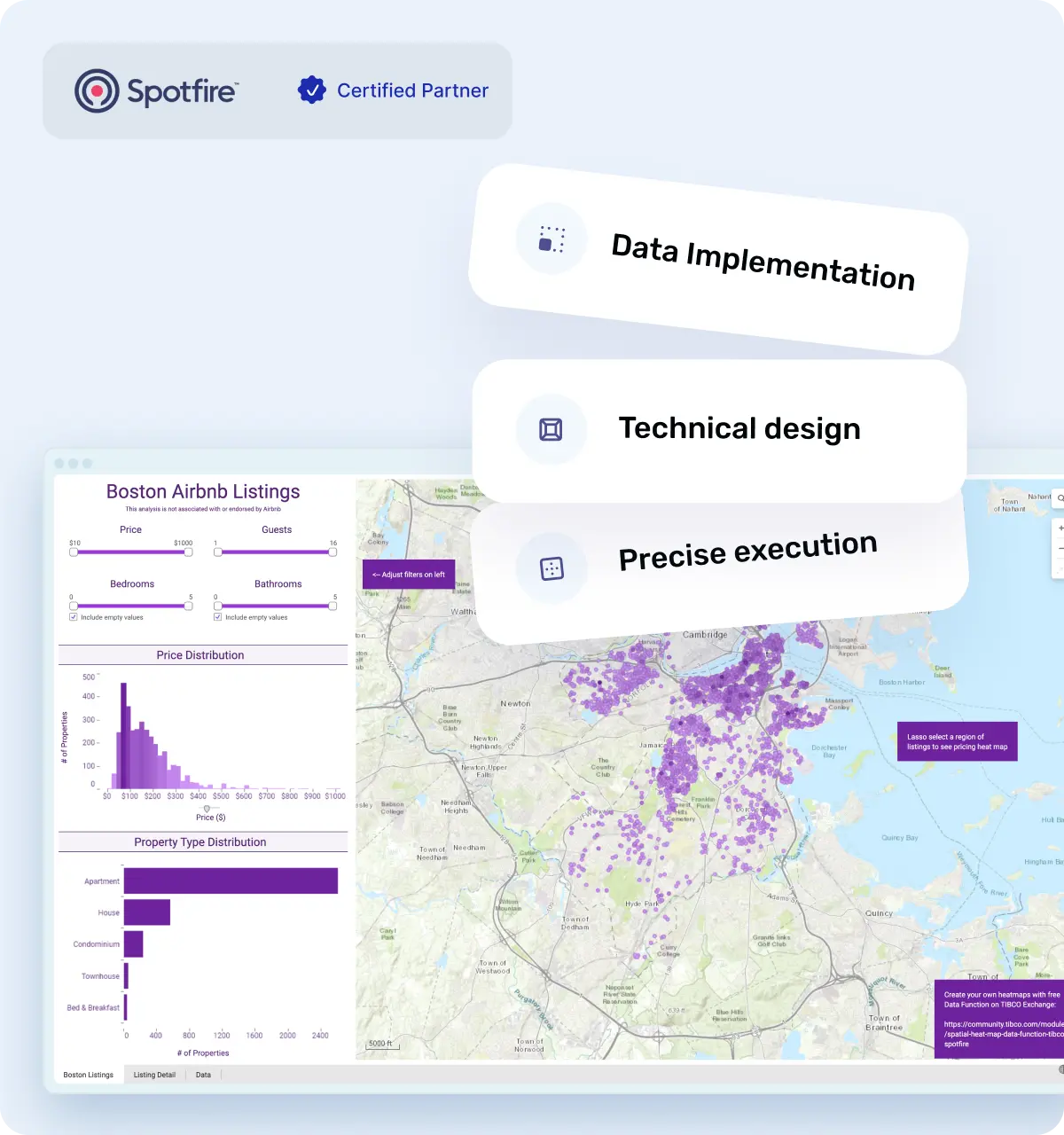

Build a Team That Can Do More in Spotfire
Faster dashboard creation after completing Spotfire training.
Fewer support requests as teams become more self-sufficient.
Higher adoption when training is paired with continued skill development and certification.
Spotfire Training Teams Recommend
★★★★★
Nicholas DePrimo:
“Introductory Spotfire training was successfully delivered to my team of 25–30 scientists. The pace let every skill level keep up while still covering a wide range of topics. We’ll definitely be booking the Intermediate course next.”
★★★★★
Mike Beckner:
“Kelley tailored the Fundamentals course to our background and kept the pace perfect. Best training I’ve had. I’d recommend Cadeon for any analytics up-skilling.”

How We Structure Spotfire Training for Your Team
Understand the Team
We review roles, current Spotfire experience, and the type of reporting or analytics work participants handle.
Confirm current skill levels
Identify day-to-day use cases
Set practical learning goals
Train With Real Exercises
Participants work directly in Spotfire instead of sitting through a feature-by-feature presentation.
Build dashboards and visualizations
Work through common analytics tasks
Ask questions during the session
Build on the Training
After the course, teams can continue into more advanced Spotfire training or prepare for certification based on their goals.
Move into the next training level
Prepare for Spotfire certification
Arrange refresher or follow-up sessions

Turn New Spotfire Skills Into Recognized Expertise
Prepare With Practical Skills First
Certification is more useful when participants understand how to apply Spotfire, not just memorize features. Training focuses on dashboards, data analysis, expressions, workflows, and the concepts users need to work confidently in the platform.
Keep Developing After Certification
Certification does not need to be the end of the learning path. Teams can continue into advanced topics, new Spotfire features, automation, and more complex analytics as their responsibilities grow.
When Your Team Needs More Than a Course
Spotfire Licensing
Get help purchasing, renewing, or adjusting Spotfire licenses as your users and requirements change.
Spotfire Upgrades
Plan and complete platform upgrades with support around compatibility, configuration, and the existing environment.
Spotfire Consulting
Bring in experienced Spotfire consultants when your team needs help with dashboards, integrations, automation, or more complex technical work.
Give Your Team More Ownership of Spotfire
Featured Case Studies

GLJ and Cadeon: Transforming Data Analysis with Spotfire
GLJ, a leading consulting firm specializing in resource evaluation, technical studies, and emissions management, partnered with Cadeon to deliver more efficient, data-driven insights through Spotfire.

Spotfire® for Operational Dashboards in Energy.
Cadeon helped energy drilling and completion teams streamline daily operational reporting by replacing manual data aggregation with automated, interactive Spotfire dashboards accessible across the organization.
.avif)
Spotfire® for Loss Management in Oil & Gas
Cadeon implemented a comprehensive loss management analysis solution using Spotfire, helping an oil and gas operator standardize production loss reporting, improve data quality, and support executive decision-making.

Spotfire® for Drilling and Completions Performance Analysis
Cadeon helped an innovative drilling contractor transform high-frequency rig instrumentation data into interactive Spotfire dashboards, giving operators and well owners clear visibility into drilling performance at any point in time.

Spotfire® for Organizational KPI Analysis in Real Estate
Cadeon helped a large real estate organization centralize and visualize key performance indicators, giving leadership direct, interactive access to membership, operational, and financial insights through Spotfire dashboards.

Spotfire® Automation Services for High-Volume PDF Reporting
Using Spotfire Automation Services and the Cadeon Print Module (CPM), Cadeon enabled automated, high-volume PDF report generation with consistent formatting and improved readability.
.avif)
Real-Time Analytics for Sports & Entertainment Operations
Cadeon helped a sports and entertainment organization integrate multiple data systems into a single, real-time analytics platform to support better customer experience and more profitable event operations.
Your Trainer Should Know What Happens After the Course
Active Spotfire Practitioners
Our instructors also work on consulting and implementation projects, so the examples come from real platform use.
Training for Real Roles
Analysts, scientists, BI teams, and business users do not use Spotfire the same way. Training can be aligned with the work participants are expected to do.
A Team You Can Keep Working With
If training uncovers a larger technical need, Cadeon can also support licensing, consulting, integrations, upgrades, and implementation.
Ready to Get More Out of Spotfire?

Frequently Asked Questions
What is included in Spotfire training?
Spotfire training can cover data loading, visualizations, filtering, dashboard creation, calculations, expressions, property controls, automation, scripting, and more advanced analytics depending on the course level.
Which Spotfire training course should I start with?
New users should usually begin with Spotfire Fundamentals training. More experienced analysts may be better suited to intermediate or advanced training depending on how much they already use the platform.
Does Spotfire training include dashboard development?
Yes. Dashboard development is a core part of Spotfire training. Participants can learn how to build visualizations, filters, interactive controls, and dashboards designed around real reporting and analytics needs.
Does Cadeon provide advanced Spotfire training?
Yes. Advanced Spotfire training can cover topics such as scripting, predictive analytics, Mods, automation, complex expressions, and more advanced dashboard development.
Can Cadeon help with Spotfire certification preparation?
Yes. Cadeon can help users strengthen the practical skills and platform knowledge needed before pursuing Spotfire certification.
How is Spotfire training delivered?
Training can be delivered in an instructor-led format for individuals or teams. The exact format can depend on the course, number of participants, and the organization’s training requirements.
Do participants need Spotfire experience before taking a course?
Not for Fundamentals training. Intermediate and advanced courses are better suited to users who already understand the core Spotfire interface and basic dashboard workflows.
What happens after the training is complete?
Teams can continue into higher-level Spotfire training, certification preparation, refresher sessions, or work with Cadeon on related needs such as consulting, licensing, upgrades, and implementation.